Building websites should feel faster every month, not more complicated.
So in February, we focused on speed, smarter AI workflows, and expanding creative possibilities inside WDesignKit.
From performance upgrades and improved AI template imports to new Bricks widgets and fresh template kits, here’s everything we shipped this month (and a few things we’re quietly building next).
🔥 Highlight of the Month
Smarter AI Template Import
We’ve improved how AI templates generate and import inside WDesignKit.
This means smoother imports, faster generation, and fewer adjustments after adding templates to your project.
So instead of spending time fixing layouts, you can focus on building and customizing faster.
🚀 Product Updates
We rolled out a few important improvements to make WDesignKit faster and more reliable.
Key Updates
- Improved AI Template Import for smoother generation and faster imports
- AI History Page to view and manage your used AI credits
Performance & Platform Improvements
Along with these, we’ve also made several performance improvements, search optimizations, pricing compatibility updates, and backend enhancements to keep the platform running smoother.
Have something you’d love to see in WDesignKit?
We’d genuinely love to hear it. Just reply and let us know what could make your workflow even smoother.
⚡Quick Win
One of our users recently shared:
We love hearing how WDesignKit helps creators build faster.
😉 Did You Know?
You can build your own custom widget in WDesignKit and use it just like a native widget in Elementor, Gutenberg, or Bricks.
Your widget can still support dynamic controls, styling options, and visual editing directly inside the builder.
Perfect for developers and freelancers who want more control without losing the visual workflow.
⚙️ Tool of the Month
Responsively App
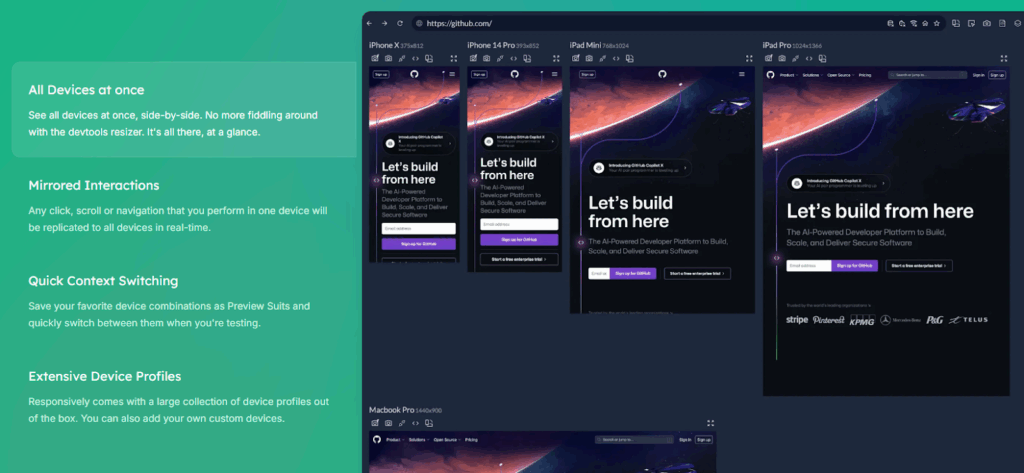
Test responsive websites faster
Responsively App lets you view your website on multiple screen sizes at once, making responsive design testing much easier.
Perfect for developers and designers.
Removes image backgrounds in seconds. Super useful for hero sections, product cards, team sections, and creative layouts without needing advanced photo editing.
🎥 Watch & Learn
Are you using the Hamburger Menu correctly in Elementor?
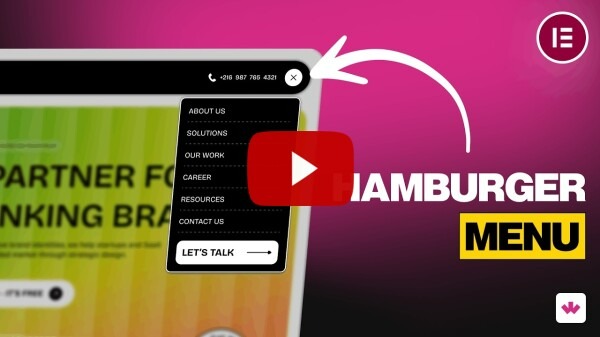
Many websites get this small but important detail wrong. In this quick tutorial, we show how to build a clean and responsive hamburger menu in Elementor the right way.
🧠 Helpful Resource
New Template Kits Added
To help you start projects faster, we added new ready-to-use template kits.
Elementor & Gutenberg Kits
Elementor Only
These kits give you a strong starting point for different industries and website styles.
🎨 New Bricks Elements
We’ve added several new elements for Bricks Builder to expand your design possibilities.
- Interactive Links
- Scrolling 3D Cards
- On Scroll Sticky Media Cards
- Glowing Corner Card
- Portfolio Slider
- Image Accordion
More widgets means more creative layouts without extra coding.
👀 Coming Next
We’re currently working on some exciting improvements.
Plugin Side
- Download widgets while importing templates
- AI Widget Builder
- Download widgets as standalone plugins
- New controller for Core Gutenberg Widget Builder
- PHP editor inside Widget Builder
- Code snippet compatibility in workspace
- Share with Me page improvements
Server Side
- AI Widget Builder
- Author page design update
- AI generated text & descriptions
- Download widgets as plugins
- AI compatibility inside Browse Widgets
A lot more AI-powered features are on the way…. So stay tuned.
That’s all for February.
Every update we release is focused on making building websites faster, easier, and more creative with WDesignKit.
More improvements are already in the works, and we’re excited to share them soon.
Subscribe our Newsletter, get Monthly & Weekly Product updates, News and more….✉️