

The Credits System in WDesignKit allows users to access additional resources for storage and AI-powered features. Credits can be purchased directly from the pricing page and used based on your needs.
This guide explains how to find credit plans, the difference between Storage Credits and AI Credits, and how to use them effectively.
How to Find Credit Plans in WDesignKit
Follow these steps to view and purchase credits:
- Go to the WDesignKit Pricing page ,
- And you’ll see the “View Credit Plans” section.
- Click View Credit Plans to expand the available credit options.
- You will see two types of credits:
- Storage Credits
- AI Credits
- Storage Credits
- Choose the type of credit you need and select the plan that best fits your requirements.
How to Use Storage Credits
Storage Credits are used for storing files, designs, assets, and other resources inside your WDesignKit workspace. These credits are billed yearly and allow you to increase your storage capacity.
Available Storage Credit Plans
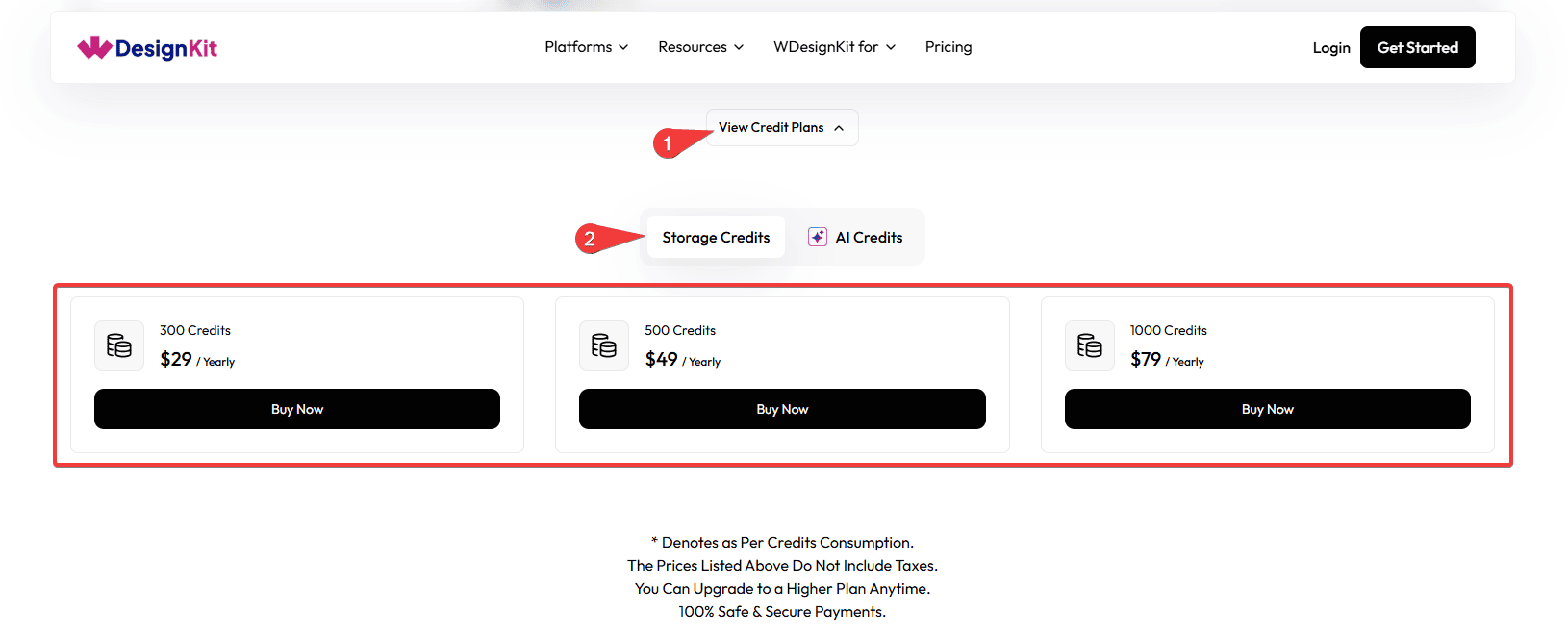
1. 300 Storage Credits
- Price: $29 / Yearly
- Suitable for users with light storage needs.
- Ideal for small projects or limited file storage.
2. 500 Storage Credits
- Price: $49 / Yearly
- Best for regular users who store multiple design assets and files.
- Provides more storage flexibility for ongoing work.
3. 1000 Storage Credits
- Price: $79 / Yearly
- Recommended for heavy users or teams managing many assets.
- Perfect for large projects and extensive storage requirements.
When to Use Storage Credits
Storage credits are consumed when you:
- Upload files or design assets
- Save projects in the workspace
- Store media or design resources
- Manage large collections of files
If you run out of storage credits, you can upgrade or purchase additional credits anytime.
How to Use AI Credits
AI Credits are used to power AI-based features in WDesignKit, such as generating content, design elements, or automated tasks using artificial intelligence.
Unlike storage credits, AI credits are purchased as a one-time package.
Available AI Credit Plans
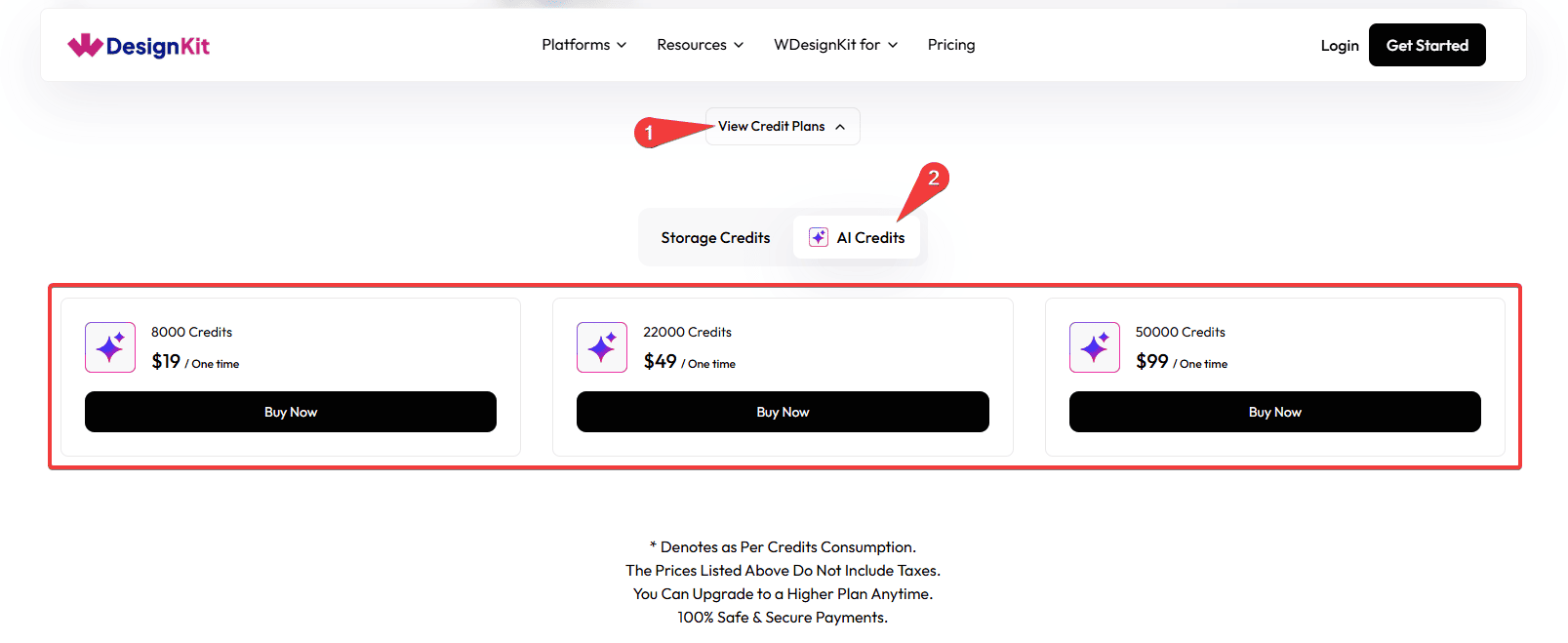
1. 8000 AI Credits
- Price: $19 (One-time)
- Ideal for light AI usage
- Suitable for exploring AI tools and occasional use
2. 22000 AI Credits
- Price: $49 (One-time)
- Best for frequent AI users
- Provides more credits for regular AI generation tasks
3. 50000 AI Credits
- Price: $99 (One-time)
- Designed for power users and professionals
- Perfect for heavy AI workflows and frequent generation
When AI Credits Are Used
AI credits are consumed when you use:
- AI-powered design tools
- AI content or asset generation
- Automated AI-based workflows
- Smart design or editing features
The number of credits used depends on the type of AI action performed.
Note: Credit usage depends on feature consumption, prices listed do not include taxes, you can upgrade to a higher plan anytime, and all payments are 100% safe and secure.
Note: AI credits are valid for 1 year from the date of purchase.
For example, if you purchase credits on 17 March 2026, they will expire on 16 March 2027.
Unused credits will not be carried forward after the expiry date
.



