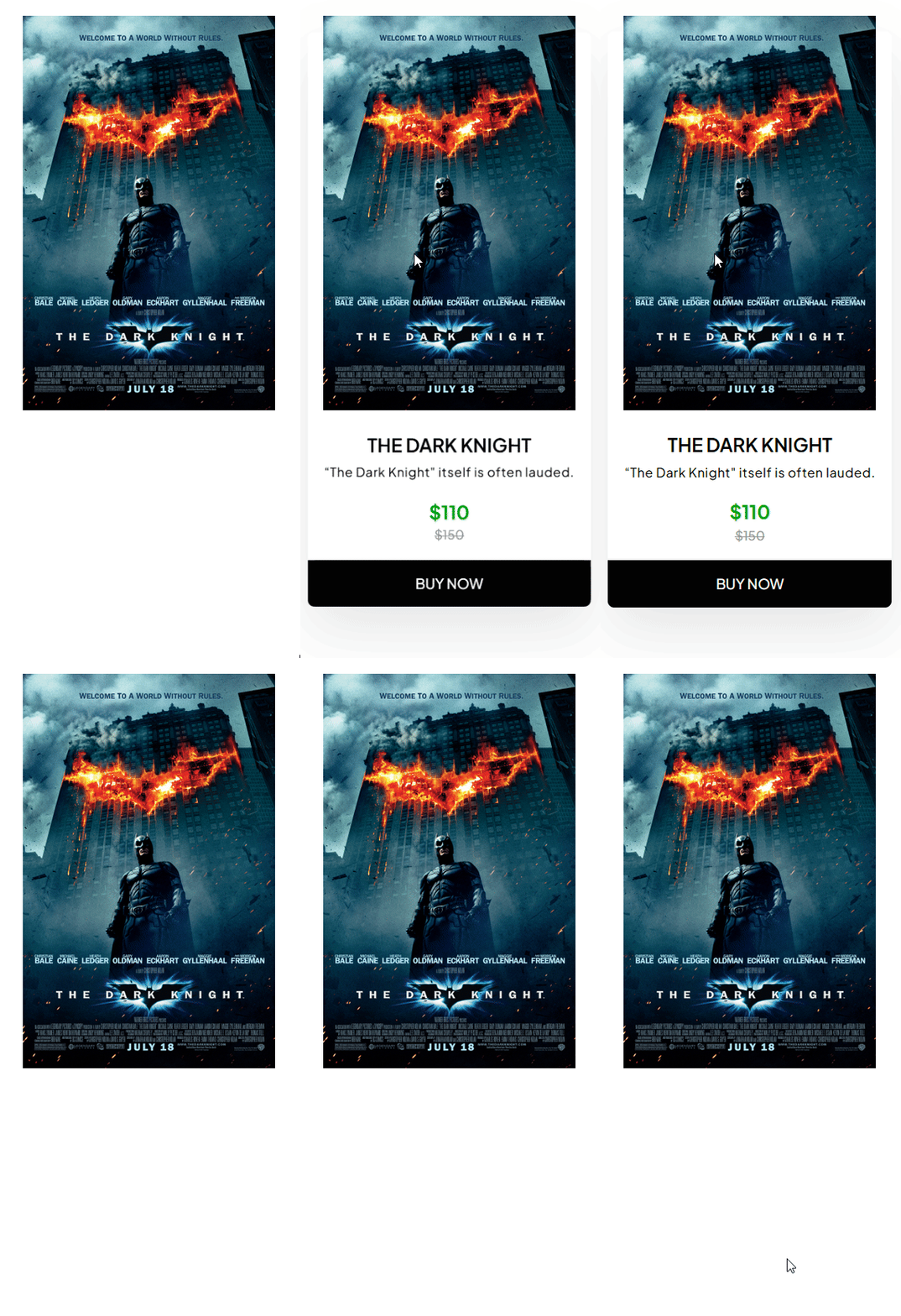
With this element, you can create a beautiful movie ticket style banner.
Required Setup
- Bricks Builder installed & activated.
- You need to have the WDesignKit plugin installed and activated.
- Make sure you’ve created an account and logged into it.
- Make sure you’ve downloaded the Movie Ticket element.
How to Activate the Movie Ticket Element?
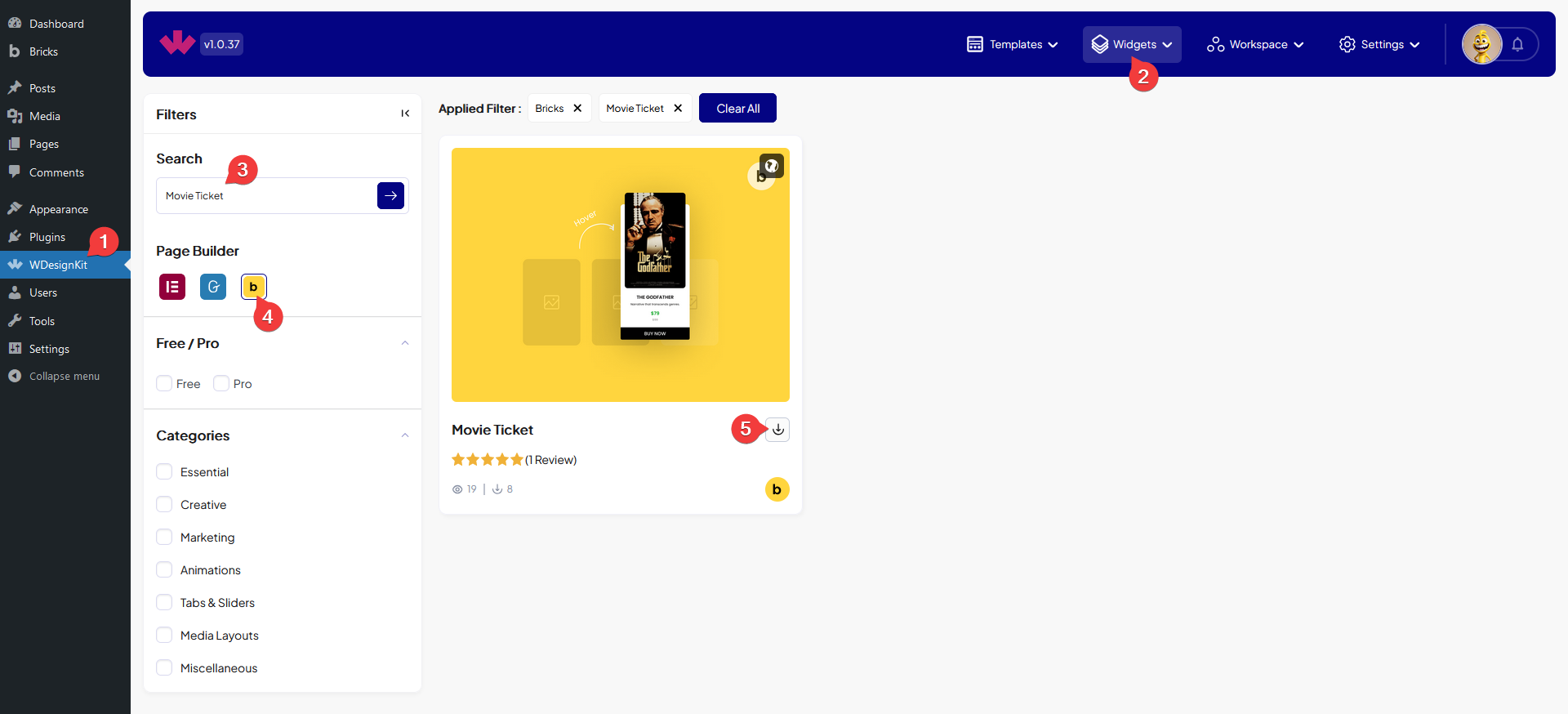
Go to
- WDesignKit → Widgets.
- Search the element name and select Bricks as the Page Builder.
- Click on the Download icon.
How to Use the Movie Ticket Element in Bricks?
Add the Movie Ticket element to the page.
In the Media section, you have to add the image.
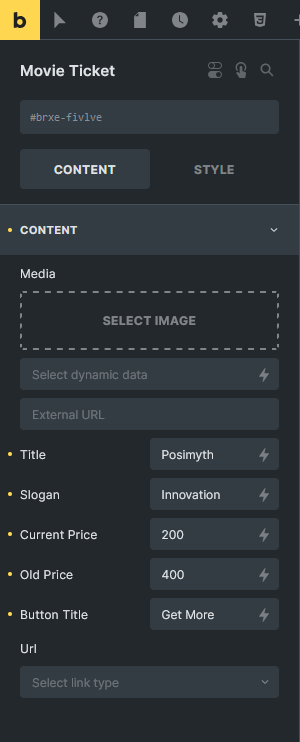
Then in the Title field, you have to add the title.
You can add a subtitle or slogan in the SubTitle field.
In the Current Price field, you can add the current price.
Then you can add an old price in the Old Price field.
From the Button Title field, you can edit the button text.
Then you can add a button link from the Url field.
From the Style tab, you can customize the style further.