

Resetting your password for your WDesignKit account is a simple and secure process that ensures the safety of your account. If you want to replace your existing password with a stronger password or need to change it for any reason, WDesignKit provides an easy way to reset it and regain access to your account.
Requirement – This feature is a part of The WDesignKit, make sure it’s installed & activated to enjoy all its powers.
Note: The password reset process only can be done from the WdesignKit web app.
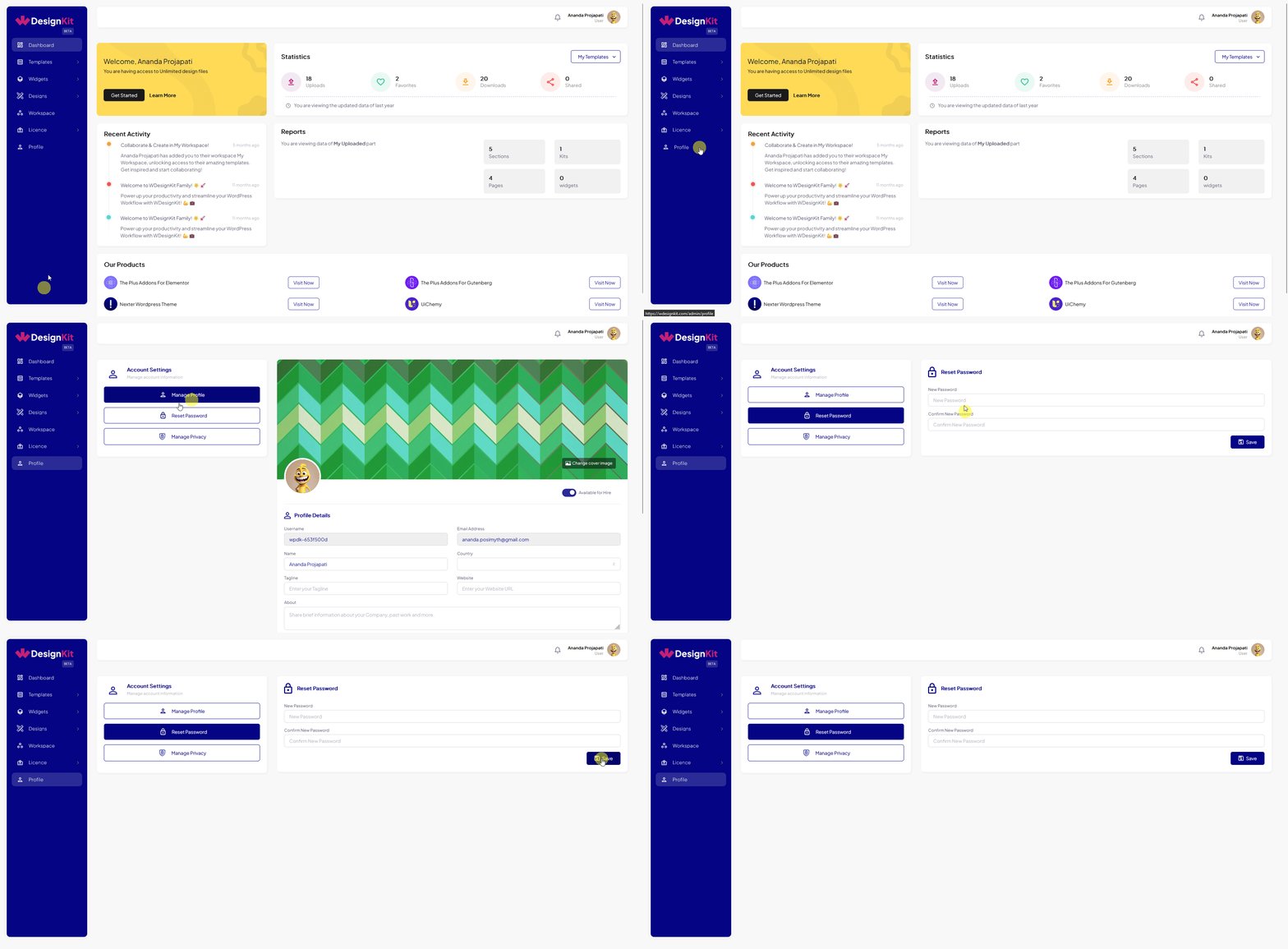
1. Log in to your account in the WDesignkit app, from the Dashboard, go to Profile.
2. On the Manage Profile page, click on the Reset Password button, it will open a reset password form.
3. Set your new password and click on the Save button.
Forgot Password
If you have forgotten your password, even then, you easily reset your password.
1. To do so, go to the login page from either the WDesignKit app or plugin and click on the Forgot Password link.
2. On the next screen, enter your registered email id in the Email field and then click on the Reset Now button.
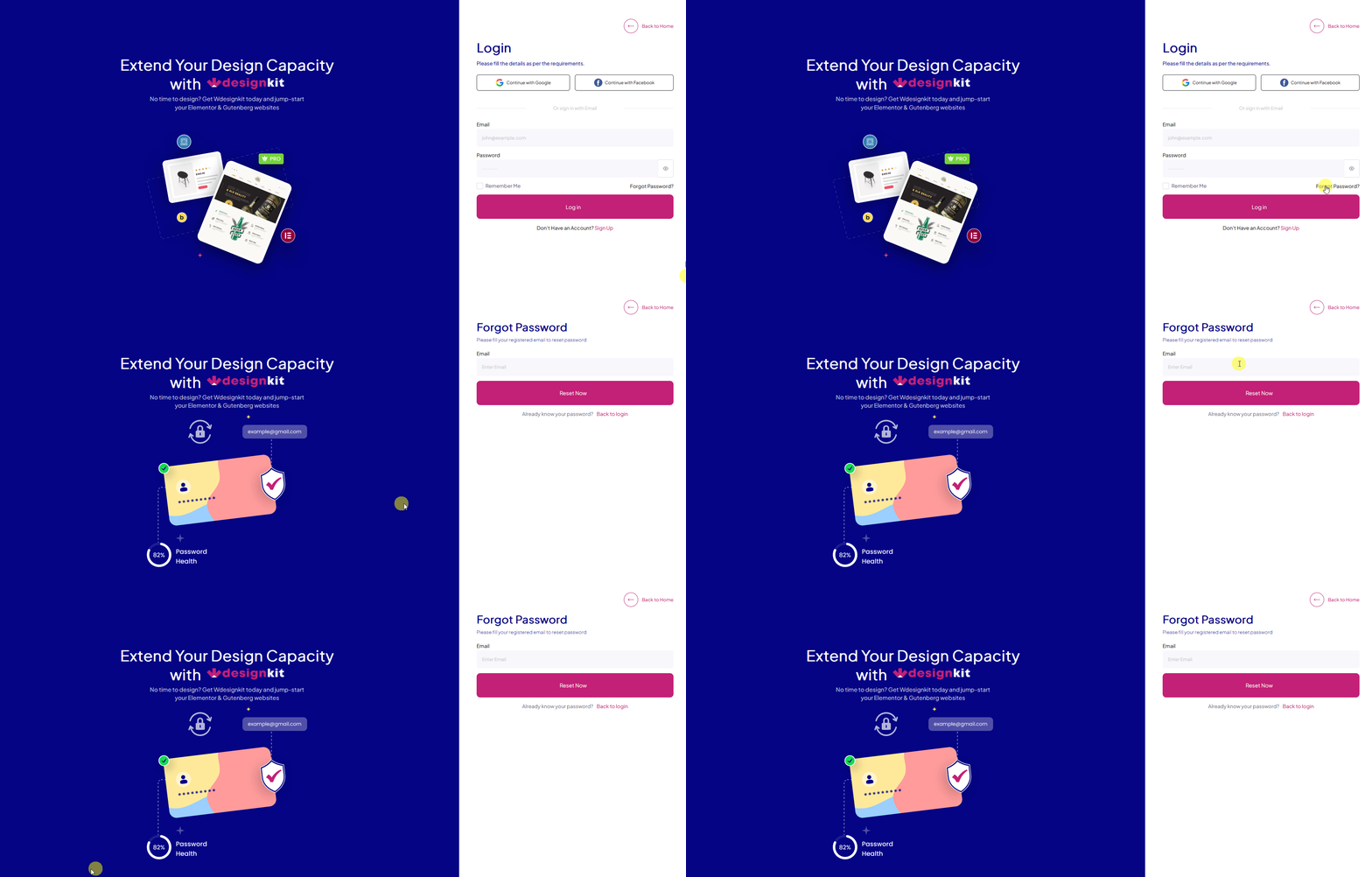
You’ll receive a password reset link in your email, click on the link to reset your password.



