

How to Delete a Workspace?

Table of Contents

If you want to delete your workspace, you can easily do that from the WDesignKit app and plugin.

To do so, log in to your WDesignKit app account and then go to Workspace

Go to the workspace you want to delete, click on the three dots, and then click Delete. Then click on the Yes button in the confirmation popup and your workspace will be deleted.
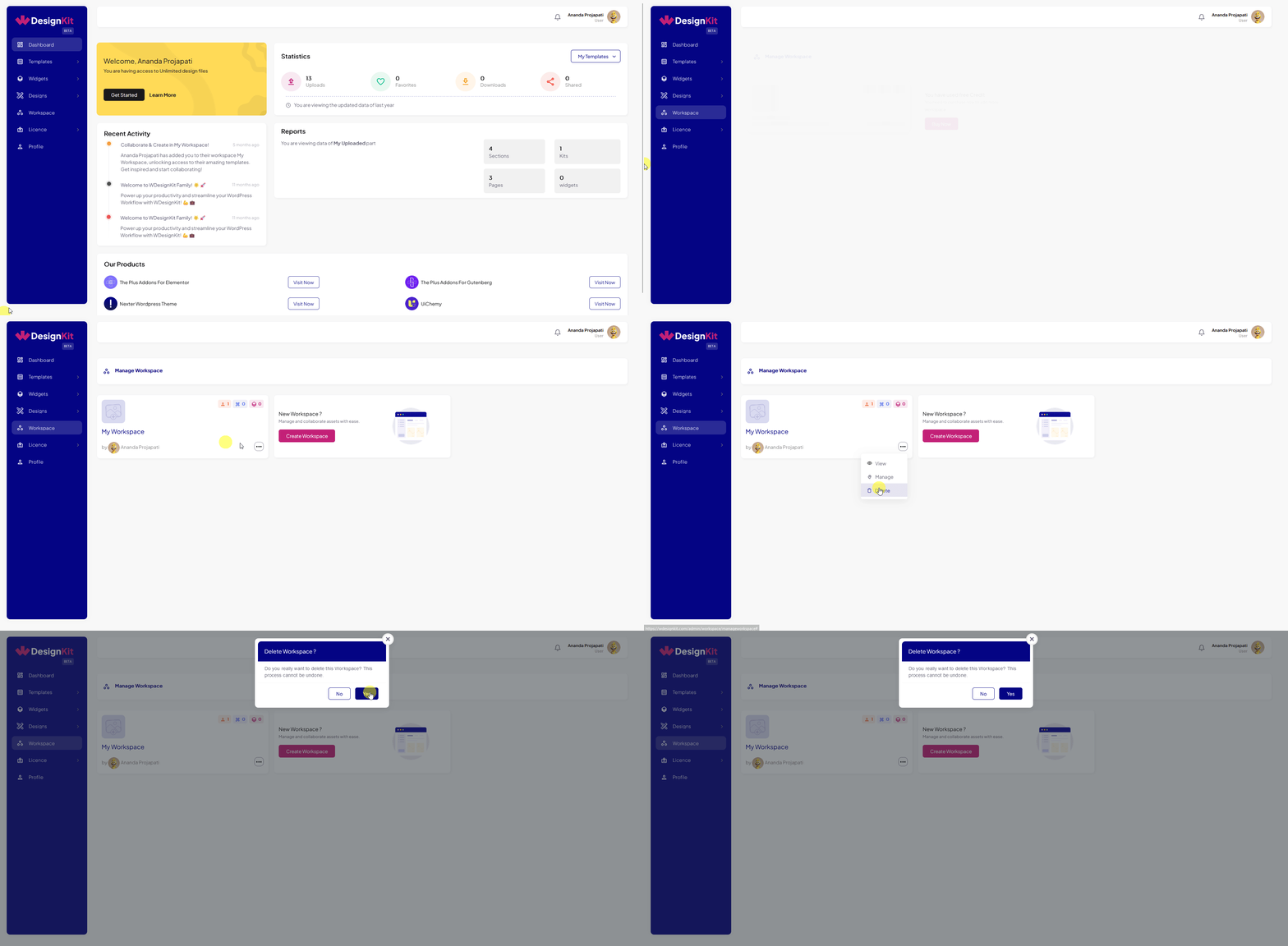
delete workspace wdesignkit website

You can do the same from the Workspace page of the WDesignKit plugin.

Note: You can’t delete a workspace that is shared with you.

AUTHOR
Sagar Patel
CEO
icon
10+ Years Experience

Sagar is the Founder & CEO of POSIMYTH Innovations, with 10+ years building WordPress products trusted by 100,000+ websites globally. He has led the development of The Plus Addons for Elementor, Nexter, WDesignKit, and UiChemy, all built hands-on from concept to launch. His work focuses on making website building faster, more flexible, and accessible for creators and businesses worldwide.