In WDesignKit, you can easily mark your templates or website kits as favourite, making it convenient to access and use them repeatedly. The Favourite feature allows you to create a personalized collection of your most preferred design assets for quick reference and efficient workflow.
Requirement – This feature is a part of The WDesignKit, make sure it’s installed & activated to enjoy all its powers.
Note: Make sure to log in to the WDesignKit website and the plugin page separately.
You can easily mark your template or website kit as favourite from both the WDesignKit plugin and app.
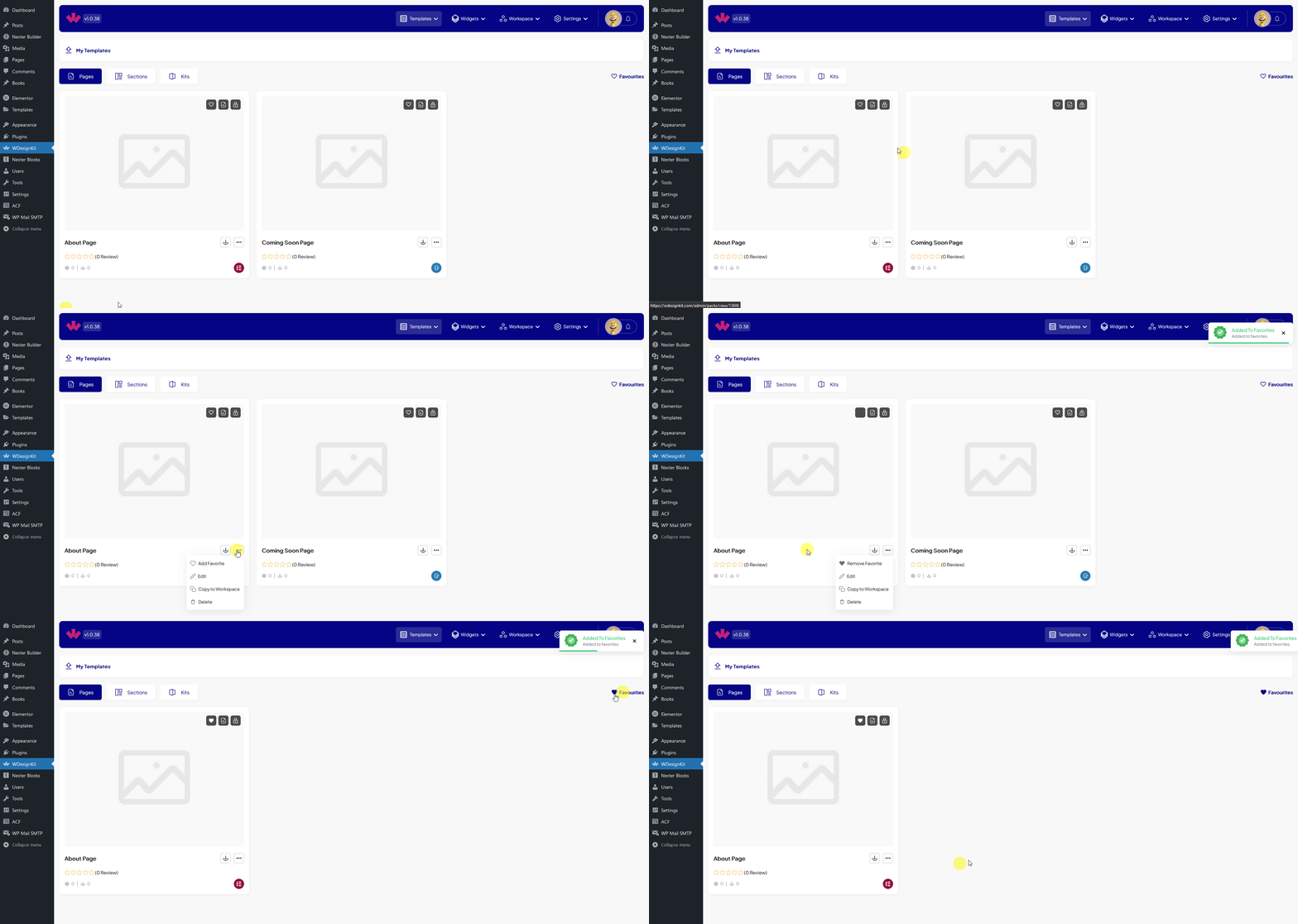
To do it from the WDesignKit plugin, go to Templates > My Templates and go to the template you want to mark as favourite you can either click on the heart icon or click on the three dots, then click Add Favourite and it will be added to the favourite list.
To access the list of your favourite templates click on the Favourites tab and then click on any other tab, it will show the favorite templates of the respective template type.
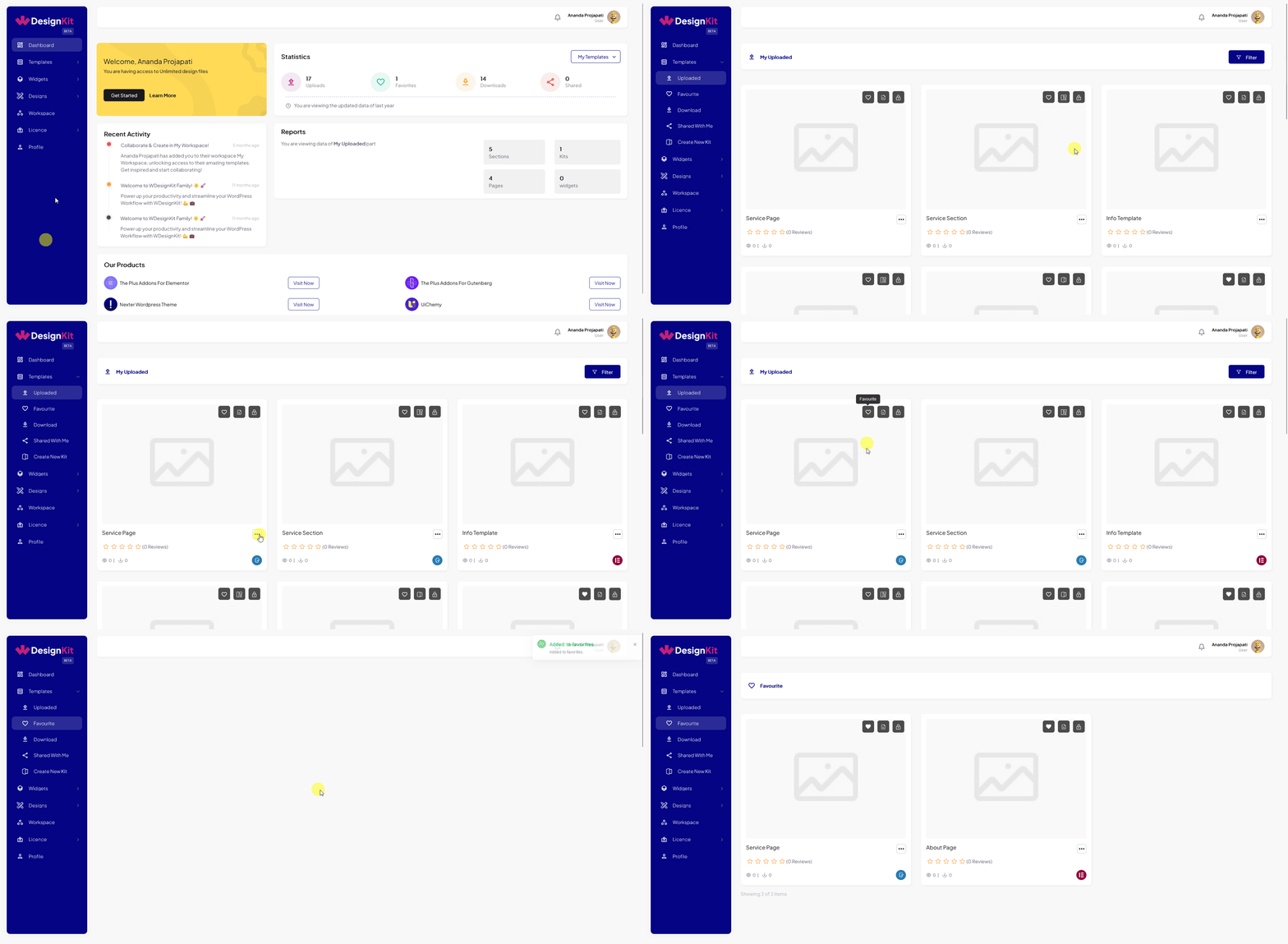
You can do the same from the WDesignKit app, go to Templates > Uploaded and repeat the action.
You can access all your favourite templates from the Favourite tab.