

With this widget, you can create a smooth, interactive image carousel that responds beautifully when users hover over it. It’s ideal for portfolios, product displays, galleries, or any section where you want to showcase images in a modern, engaging way. You can fully customize the spacing, speed, animation style, and hover effects to match your site’s look and feel.
Required Setup
- Elementor FREE Plugin installed & activated.
- You need to have the WDesignKit plugin installed and activated.
- Make sure you’ve created an account and logged into it.
- Make sure you’ve downloaded the Hover Media Carousel widget.
How to Activate the Hover Media Carousel Widget?
Go to
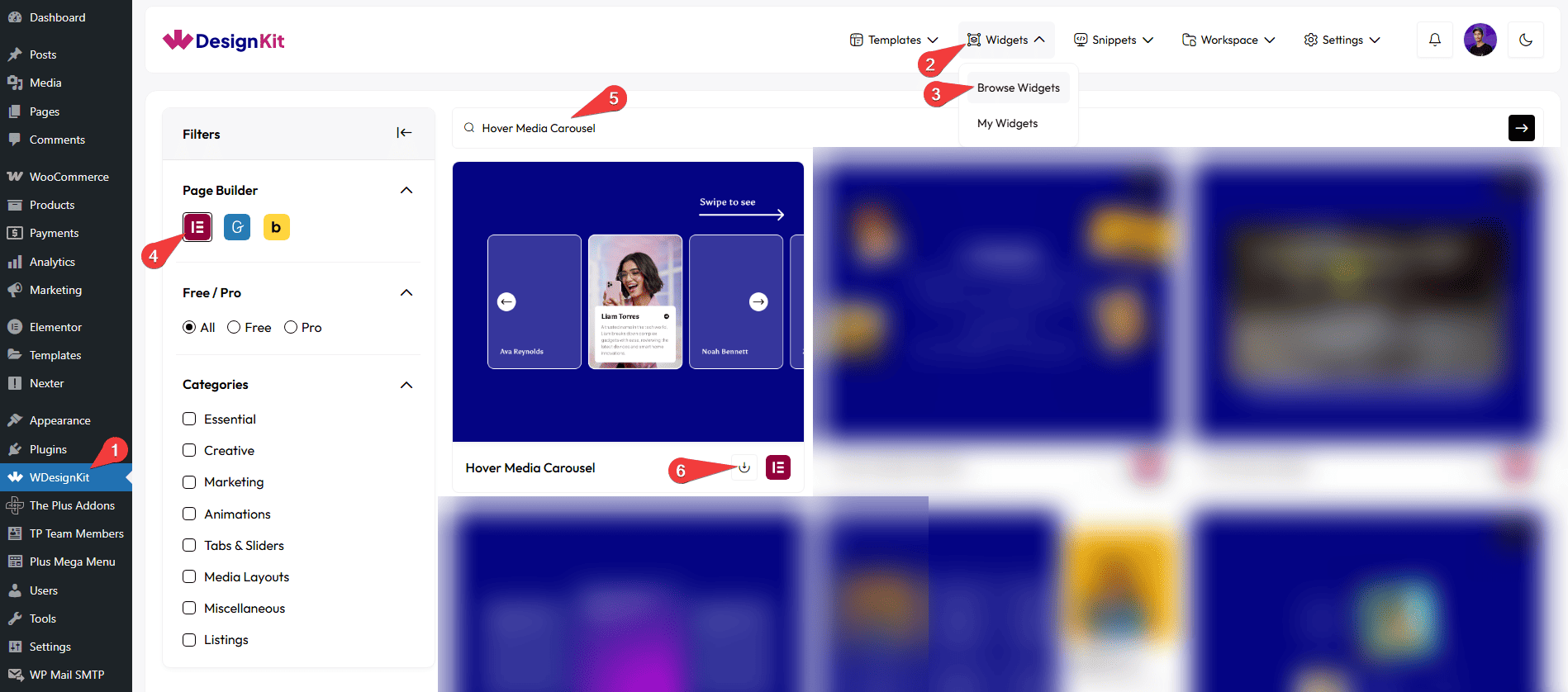
- WDesignKit → Widgets → Browse Widgets.
- Search the widget name and select Elementor as the Page Builder.
- Click on the Download icon.
How to Use the Hover Media Carousel Widget in Elementor?
Add the Hover Media Carousel widget to the page.
Content
Once you add the widget, you’ll see a repeater item. By default, you’ll find four repeater item, , open it.
Note: Except for the Select Image field, you can see all other content items when you hover over the box available in the slide.
In the Title field, you can add the title of the slide.
From the Select Icon section, you can choose either an icon or an SVG for the content.
In the Description field, you can add the description of the slide.
In the Button Text field, you can add button text to the slide.
In the URL field, you can add the button URL.
You can click on the + Add Item button to add more items.
Navigation
You can add an icon or SVG for the previous navigation button from the Prev Icon section.
You can add an icon or SVG for the next navigation button from the Next Icon section.
Extra Options
By enabling Icon Show on Normal toggle, the title icon will be visible on the box in its normal state. When you hover over it, the icon will disappear.
By enabling the Icon Show on Hover toggle, the title icon will appear only when you hover over the slide. In the normal state, it will not be visible.
Then, from the Style tab, you can further customize the style of the Hover Media Carousel.



