
To use the templates, widgets, blocks, widget builder, and other powerful features of WDesignKit, you have to activate your WDesignKit account. There are four types of keys that you can use to activate your WDesignKit account.
Types of keys:
- WDesignKit
- WDesignKit Extra AI Credits
- WDesignKit Extra Storage Credits
- The Plus Addons for Elementor – Pro
- Nexter Blocks – Pro
- UiChemy – Pro
How to Get the WDesignKit License Key?
To get the WDesignKit license key, visit the Pricing Page.
Then select the plan as per your requirements.
Free Plan
To get started, follow the steps below –
1. Click on the Start Free button in the Free plan.
2. It will then redirect you to the login/sign-up page. Once logged in, you can start using WDesignKit.
Pro Plan
To get the license key for the Pro plan, follow the steps –
1. Click on the Buy Now button of your selected pro plan.
2. It will redirect to the Posimyth Store, complete your purchase, and you’ll get your activation key.
Note: You can also find the key from the Dashboard of your Posimyth Store account.
Activate Account with WDesignKit Key
1. In the WDesignKit Server, go to Licence → Activate from the left sidebar.
2. In the Add License Key field, paste your WDesignKit license key.
3. From the Product Dropdown, select WDesignKit.
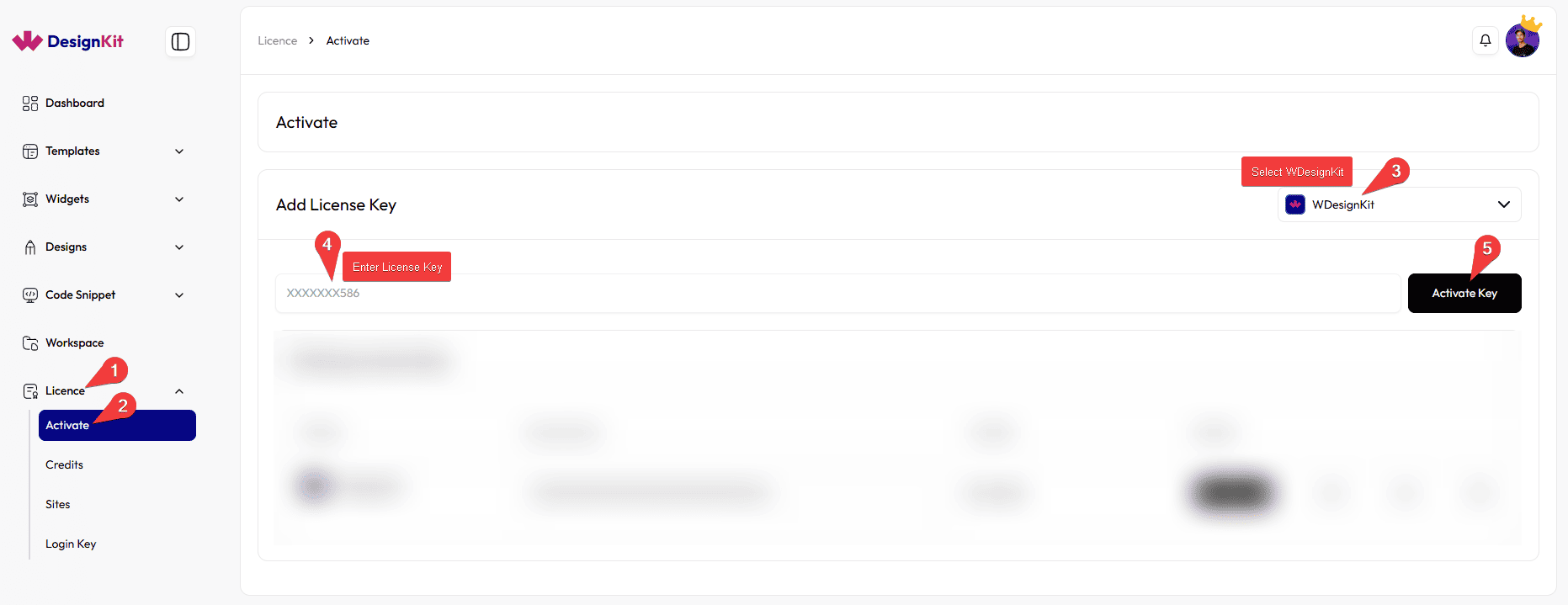
4. After entering the key, click the Activate Key button.
5. Once activated, your license will appear in the Existing License Keys section along with the available credits and activation status.
Note: You can do the same from the Manage License section of the WDesignKit plugin.
How to Get The Plus Addons for Elementor Key?
To get The Plus Addons for Elementor key, follow the steps –
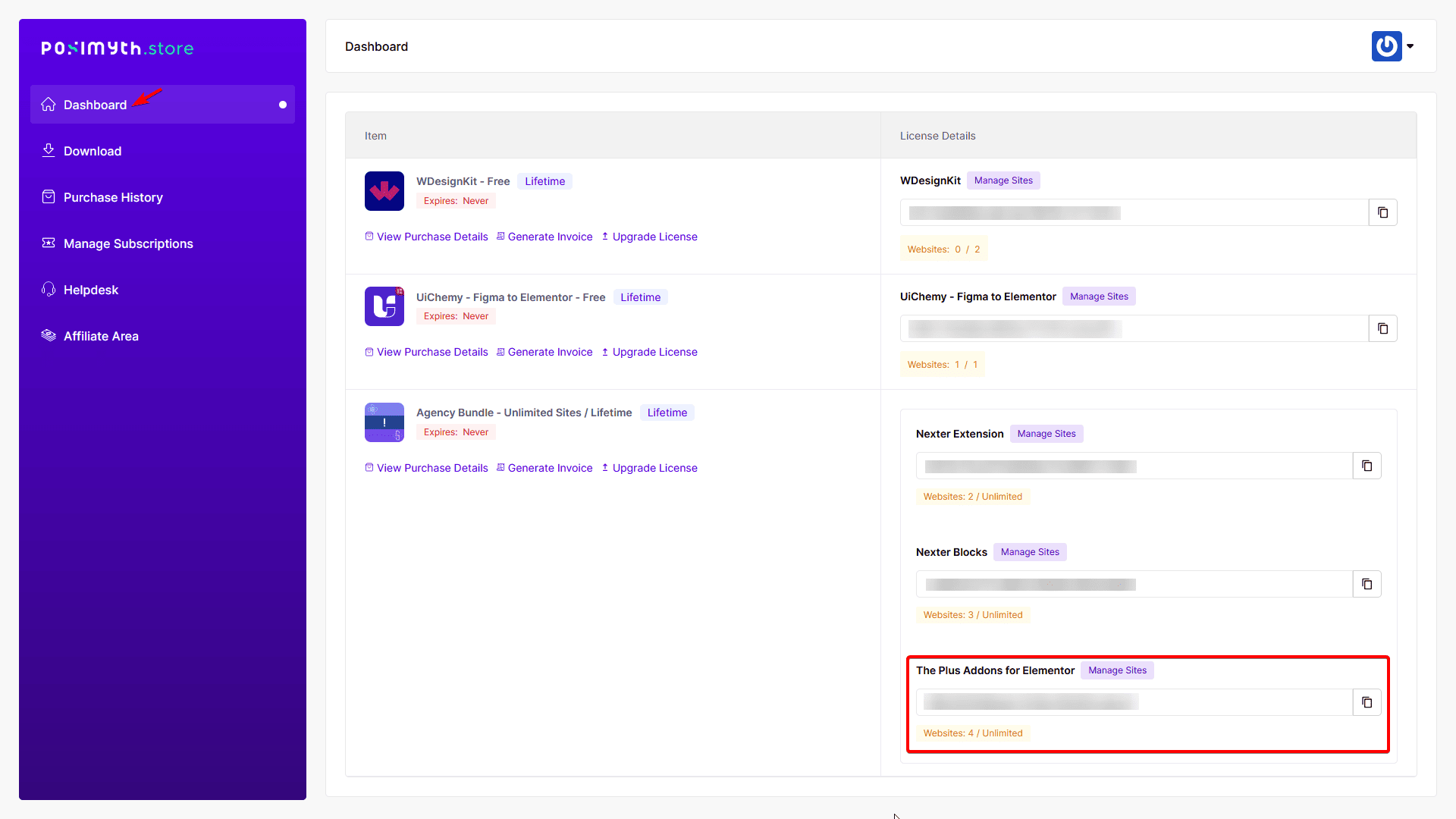
1. Log in to your Posimyth Store account.
2. In the Dashboard, you’ll find the license key under The Plus Addons for Elementor label.
Activate the Account with The Plus Addons for Elementor Key
1. In the WDesignKit Server, go to Licence → Activate.
2. In the Add License Key field, paste your The Plus Addons for Elementor license key.
3. From the Product Dropdown, select The Plus Addons for Elementor.
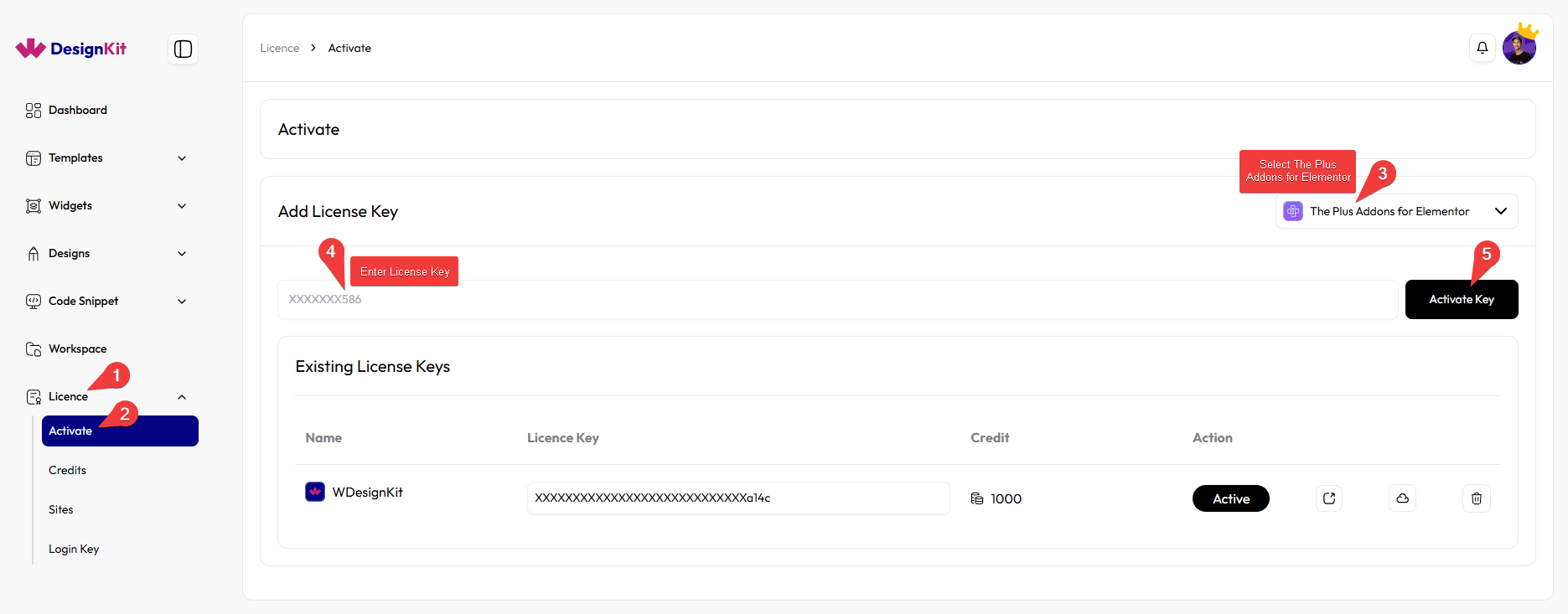
4. Click the Activate Key button to activate the license.
5. After activation, the license will appear in the Existing License Keys section with its status and available credits.
Note: You can do the same from the Manage License section of the WDesignKit plugin.
How to Get Nexter Blocks Key?
To get the Nexter Blocks key, follow the steps –
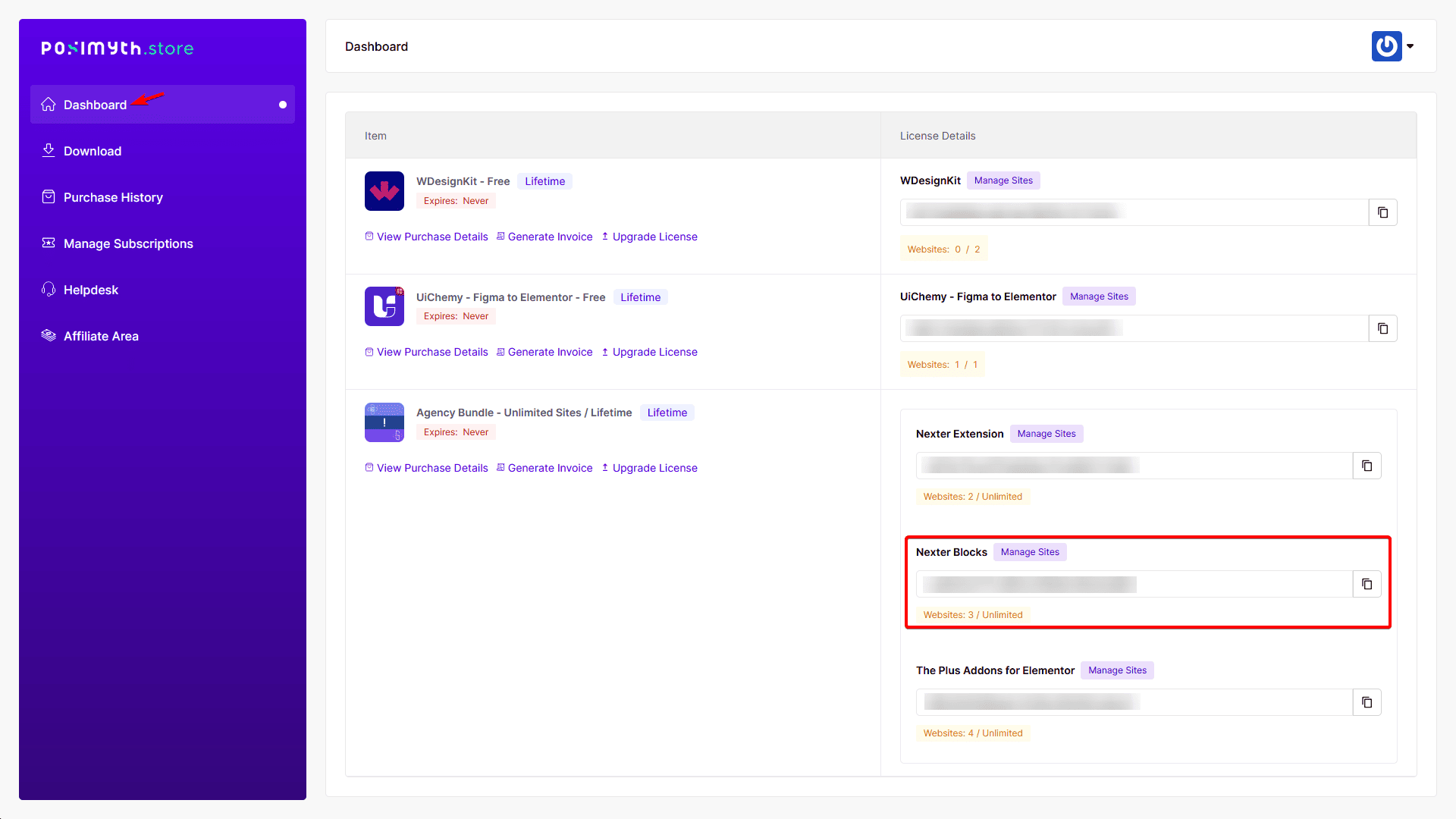
1. Log in to your Posimyth Store account.
2. In the Dashboard, you’ll find the license key under the Nexter Blocks label.
Activate the Account with Nexter Blocks Key
1. In the WDesignKit Server, go to Licence → Activate.
2. In the Add License Key field, paste your Nexter Blocks license key.
3. From the Product Dropdown, select Nexter Blocks.
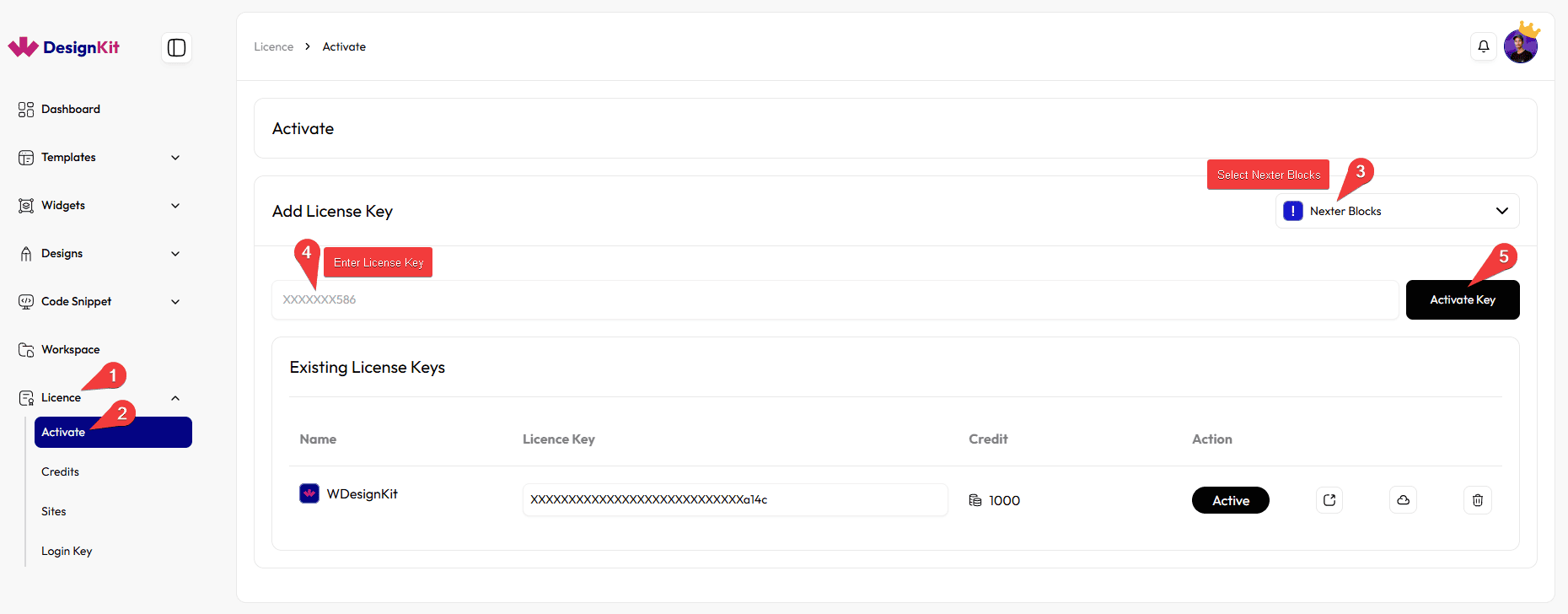
4. Click the Activate Key button to activate the license.
5. After activation, the license will appear in the Existing License Keys section with its status and available credits.
Note: You can do the same from the Manage License section of the WDesignKit plugin.
Note: If you activate the licenses for The Plus Addons for Elementor and Nexter Blocks, you can access all PRO templates of WDesignKit.
If you activate only one of them, you can access only the PRO templates related to that specific plugin.
However, to use widgets, a WDesignKit account is required.
Notes: If you activate The Plus Addons for Elementor, Nexter Blocks and WDesignKit all at once your plan will become WDesignKit. You’ll get an additional 200 credits along with the credits and features of your selected plan.
How to Get UiChemy Key?
To get the UiChemy key, follow the steps –
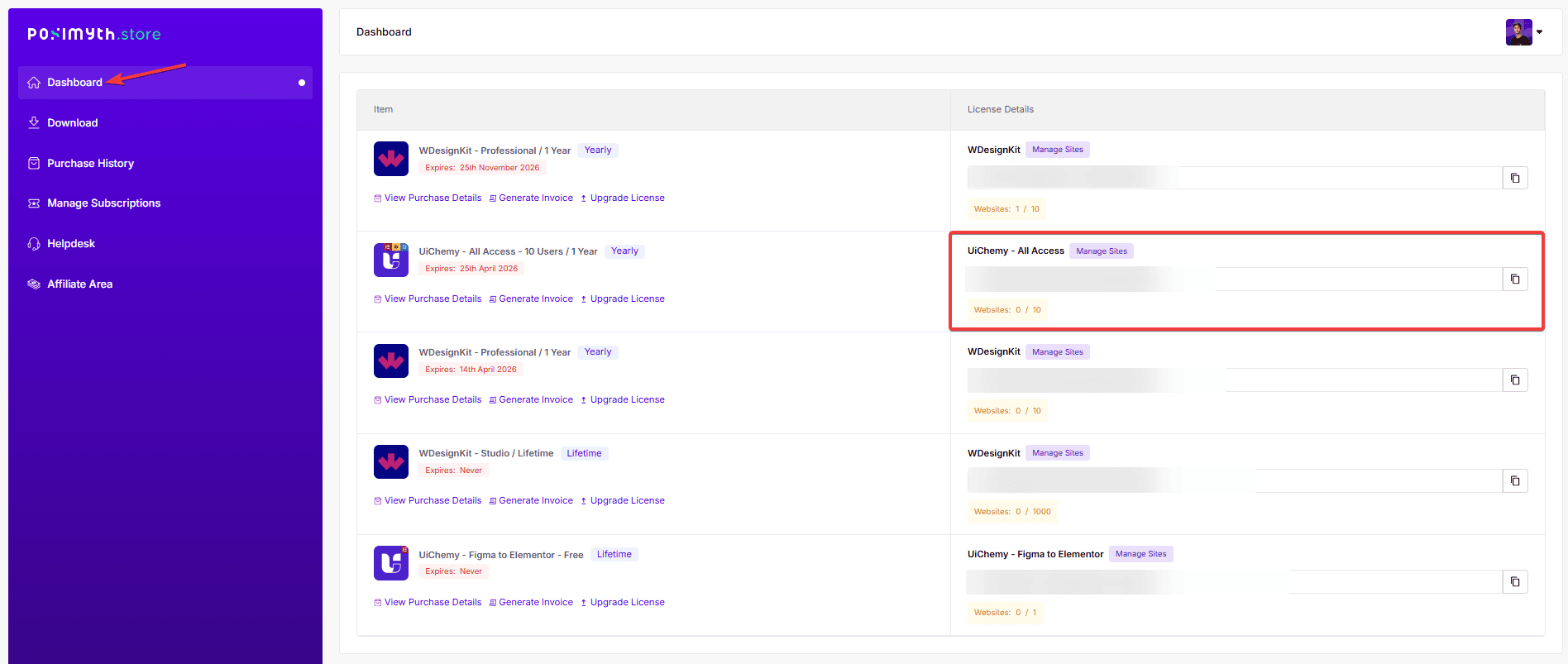
1. Log in to your Posimyth Store account.
2. In the Dashboard, you’ll find the license key under the UiChemy label.
Activate the Account with UiChemy Key
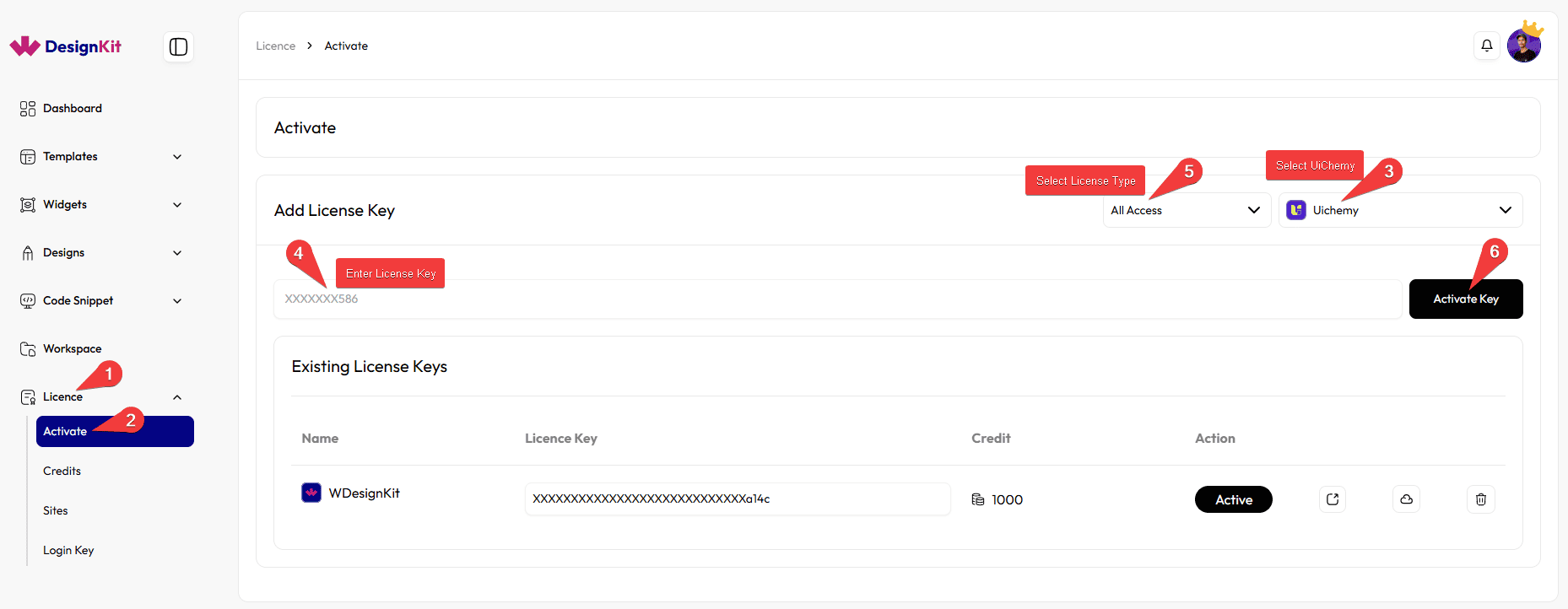
1. In the WDesignKit Server, go to Licence → Activate.
2. In the Add License Key field, paste your UiChemy license key.
3. From the product dropdown, select UiChemy.
4. Click the Activate Key button to activate the license.
5. After activation, the license will appear in the Existing License Keys section with its status and available credits.
Note: You can do the same from the Manage License section of the WDesignKit plugin.
Note: With the Uichemy Pro license you’ll get 100 credits and you can download the Pro Figma files.